Front End
Actuary Academy
Actuary Academy
May 7, 2025
Overview
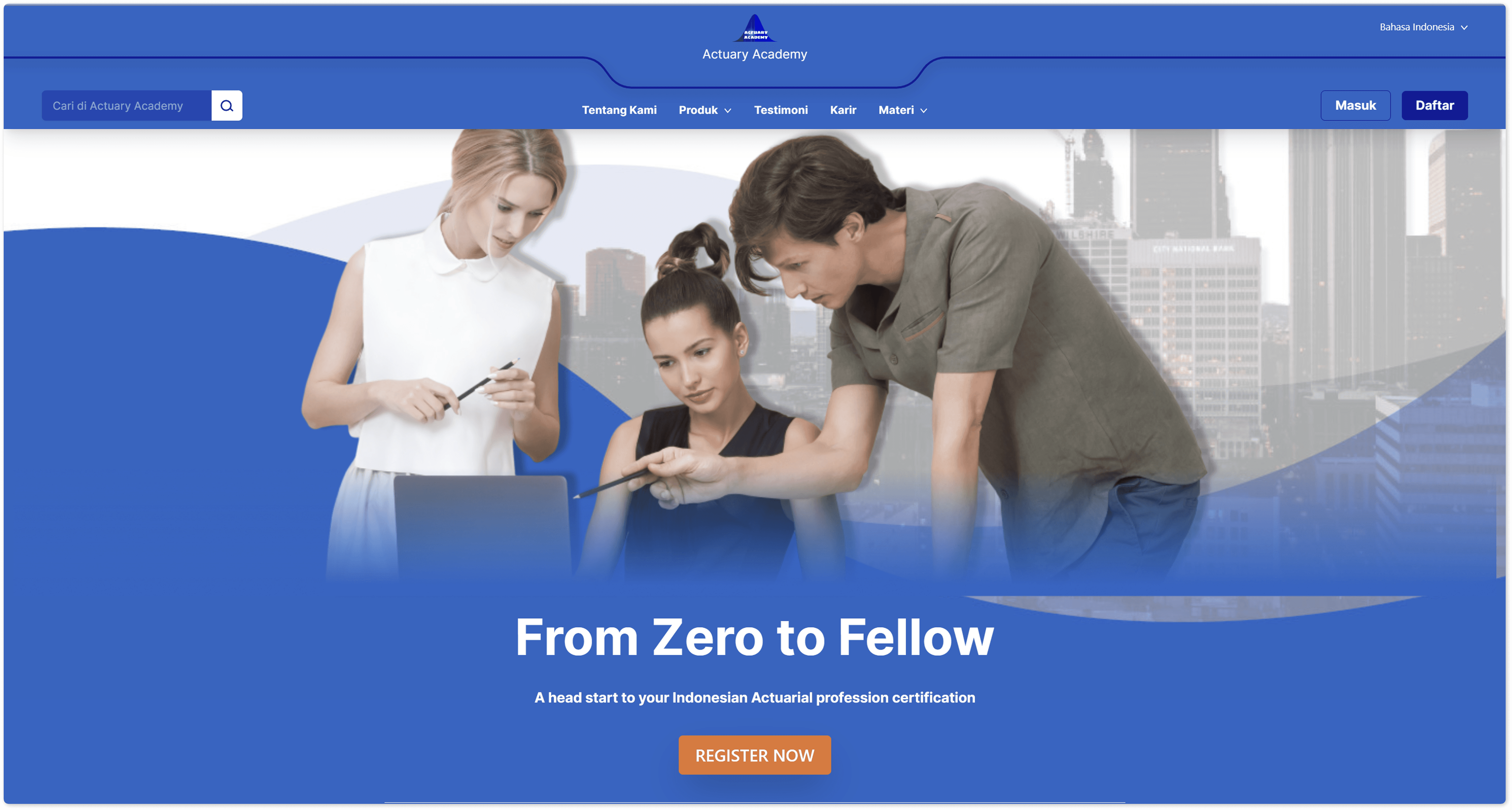
As the front-end developer and project manager for Actuary Academy, I led the design and implementation of a web-based Learning Management System dedicated to aspiring actuaries. The platform supports certification prep with features like:
Course catalog and module navigation: Clear structure with breadcrumbs and progress bars
Interactive learning content: Quizzes, video lectures, and downloadable resources
User dashboard: Displays course progress, upcoming deadlines, and personalized recommendations
Responsive, branded UI: Optimized for desktop and mobile with consistent typography, colors, and elements aligned with actuarial professional identity
Accessibility compliance: Keyboard navigation and compliance with WCAG standards
I translated user needs into intuitive interfaces using modern frameworks (e.g., React) and adopted best practices for LMS front-end development
Findings
User-Centric Design Improves Engagement
By applying clear navigation, breadcrumbs, and a user dashboard, learners quickly accessed modules and tracked learning, all key to retention.
Mobile-First Approach Essential
With many learners accessing from mobile, we implemented a mobile-first strategy, using responsive layouts, large touch targets, and optimized media, aligned with industry recommendations.Interactive Features Enhance Learning
Integration of quizzes, progress indicators, and badges boosted motivation and mirrored gamification best practices to enhance learner engagement.Consistent Branding Builds Trust
Ensuring cohesive visual design, through typography, colors, and style, reinforced a professional brand experience aligned with actuarial standards .Accessibility Broadens Reach
Implementing keyboard navigation, screen-reader support, and proper contrast ensured inclusivity for all learners, reflecting good LMS accessibility design .Optimized Performance Reduces Friction
Using lazy loading for images and scripts, minifying assets, and employing browser caching, we achieved fast loading times, critical for retention.Modular Architecture Enables Scalability
Front-end components, like course cards, progress bars, and notifications, were designed modularly, enabling easy updates and future feature expansion
Overview
As the front-end developer and project manager for Actuary Academy, I led the design and implementation of a web-based Learning Management System dedicated to aspiring actuaries. The platform supports certification prep with features like:
Course catalog and module navigation: Clear structure with breadcrumbs and progress bars
Interactive learning content: Quizzes, video lectures, and downloadable resources
User dashboard: Displays course progress, upcoming deadlines, and personalized recommendations
Responsive, branded UI: Optimized for desktop and mobile with consistent typography, colors, and elements aligned with actuarial professional identity
Accessibility compliance: Keyboard navigation and compliance with WCAG standards
I translated user needs into intuitive interfaces using modern frameworks (e.g., React) and adopted best practices for LMS front-end development
Findings
User-Centric Design Improves Engagement
By applying clear navigation, breadcrumbs, and a user dashboard, learners quickly accessed modules and tracked learning, all key to retention.
Mobile-First Approach Essential
With many learners accessing from mobile, we implemented a mobile-first strategy, using responsive layouts, large touch targets, and optimized media, aligned with industry recommendations.Interactive Features Enhance Learning
Integration of quizzes, progress indicators, and badges boosted motivation and mirrored gamification best practices to enhance learner engagement.Consistent Branding Builds Trust
Ensuring cohesive visual design, through typography, colors, and style, reinforced a professional brand experience aligned with actuarial standards .Accessibility Broadens Reach
Implementing keyboard navigation, screen-reader support, and proper contrast ensured inclusivity for all learners, reflecting good LMS accessibility design .Optimized Performance Reduces Friction
Using lazy loading for images and scripts, minifying assets, and employing browser caching, we achieved fast loading times, critical for retention.Modular Architecture Enables Scalability
Front-end components, like course cards, progress bars, and notifications, were designed modularly, enabling easy updates and future feature expansion